






TP-Link.
TP-Link make the Omada access points, switches and routers we fit in every WiFi & Networking install. They are designed as one system and managed from one dashboard, so we can watch the whole network and fix most things without a visit.
Get in touchWhy We Work With TP-Link.
Omada is the platform our engineers work in every day. One make across the network means the wired and wireless sides are designed and managed as one, by one company, so when something stops working there is one number to ring and nobody to pass it to. Managed switches and the Omada platform leave headroom, so adding a camera, a door entry panel or more devices later is a change to the network, not a rebuild of it.
WiFi & Networking
What Goes In.
We survey the site first and design the network around what we find. This is what goes in.
- WiFi access points. TP-Link Omada access points, positioned around how each area is used, helping reduce weak spots indoors and outdoors where needed.
- Managed switches. They connect key equipment and can power compatible phones and access points over the same cable, so there is less to wire.
- A router sized for the site. Specified for the building and the number of users, so the wired and wireless sides work as one network.
- A separate guest network. Visitors get straightforward internet access on their own network, keeping guest traffic away from your business systems.
Monitored and Supported by Us.
Your router, switches and access points sit in one Omada dashboard, so we can spot problems early, apply updates and make changes without visiting site. Performance is checked, firmware is kept current and a fault on one device shows up before it becomes a fault you notice.
Omada Network Manager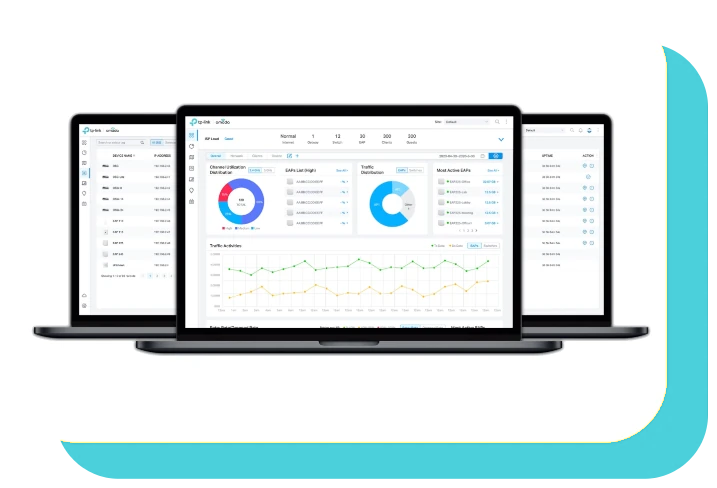
Surveyed First.
Access point counts guessed from a floor plan are how buildings end up with dead spots in exactly the places that matter. We walk the building with you, count the access points properly and give you the design and the price before anything is ordered.
Book a Site SurveyLet’s Talk.
Tell us about the building and where the signal needs to reach, and we will arrange a survey.
Get in Touch.