





Red Cactus.
Red Cactus makes the CRM integration we sell with Elevate. When a call comes in, the caller's record appears on screen before you pick up. When you want to call someone, you click their number in the CRM. It is the link between your phone system and the software your team already lives in.
Get in touchWhy We Work With Red Cactus.
Elevate's Pro licence includes built-in integrations for Salesforce, Microsoft Dynamics 365, ServiceNow and Zoho. Most businesses use something else. Red Cactus connects Elevate to a much wider range of CRMs and business systems, and publishes what each connector can do, so we can tell you what will work before you commit. Functions vary between systems, so we check suitability first.
CRM Integration
What It Does.
Five things, all of them about saving the seconds that add up over a day of calls.
- Screen pop. The moment a call comes in, a pop-up shows who is calling and their record, before you have picked up. From the same pop-up you can answer, transfer, hold or end the call.
- Click to dial. Call straight from a contact record, a website or a search result by clicking the number, or select a number anywhere and press a hotkey.
- Call history. See at once when the caller last spoke to you and which colleague they spoke to, going back three months, with the notes that were taken.
- Conversation notes. Take notes during the call and they are saved against the record, so the whole team sees them in the CRM.
- Automatic call logging. Every inbound and outbound call is logged against the right record, with the time, the duration and the direction.
Works However Your Team Works.
Red Cactus runs as a desktop app on Windows 10 and later and on macOS Monterey and later, as a browser plug-in for Chrome and Edge, or inside Microsoft Teams. It sits alongside Elevate on every device, so it works the same at a desk, at home or on a laptop out on site.
We set up one profile and roll it out to the whole team, and we manage the licences centrally, so adding a new starter is a change we make rather than something for you to install.
Elevate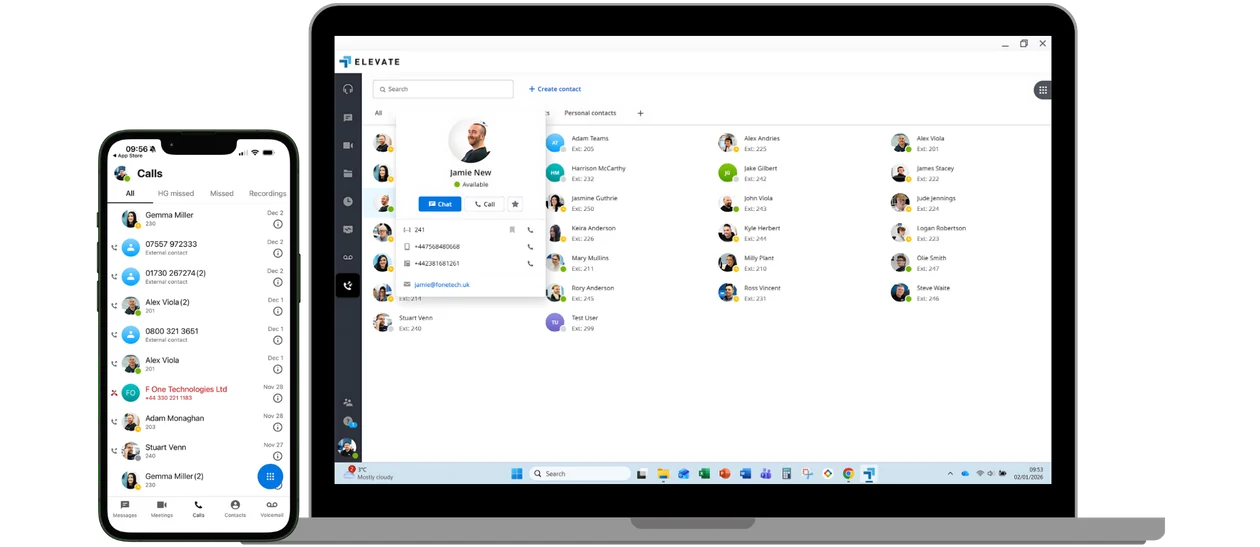
We Check Your CRM First.
Red Cactus publishes a list of the systems it connects to and what each connection can do. Before we quote, we check your CRM against it and tell you which of the functions above you will get. Where a system is not on the list, we say so rather than promise something that will not work.
Get in touchLet’s Talk.
Tell us which CRM you use and how your team handles calls today, and we will tell you what the integration would give you before anything is ordered.
Get in Touch.